All-in-one platform
Pedicure software for your practice
Looking for a pedicure programme for your diary, client files and administration? MyWest keeps your appointments, foot cards, health data with consent and stock in one place, for cosmetic and medical work. Try it free for 14 days, no payment details needed to start.
- 1414 days free
- from €29/month excl. VAT
- All features you needPedicures

What a pedicure practice needs from software
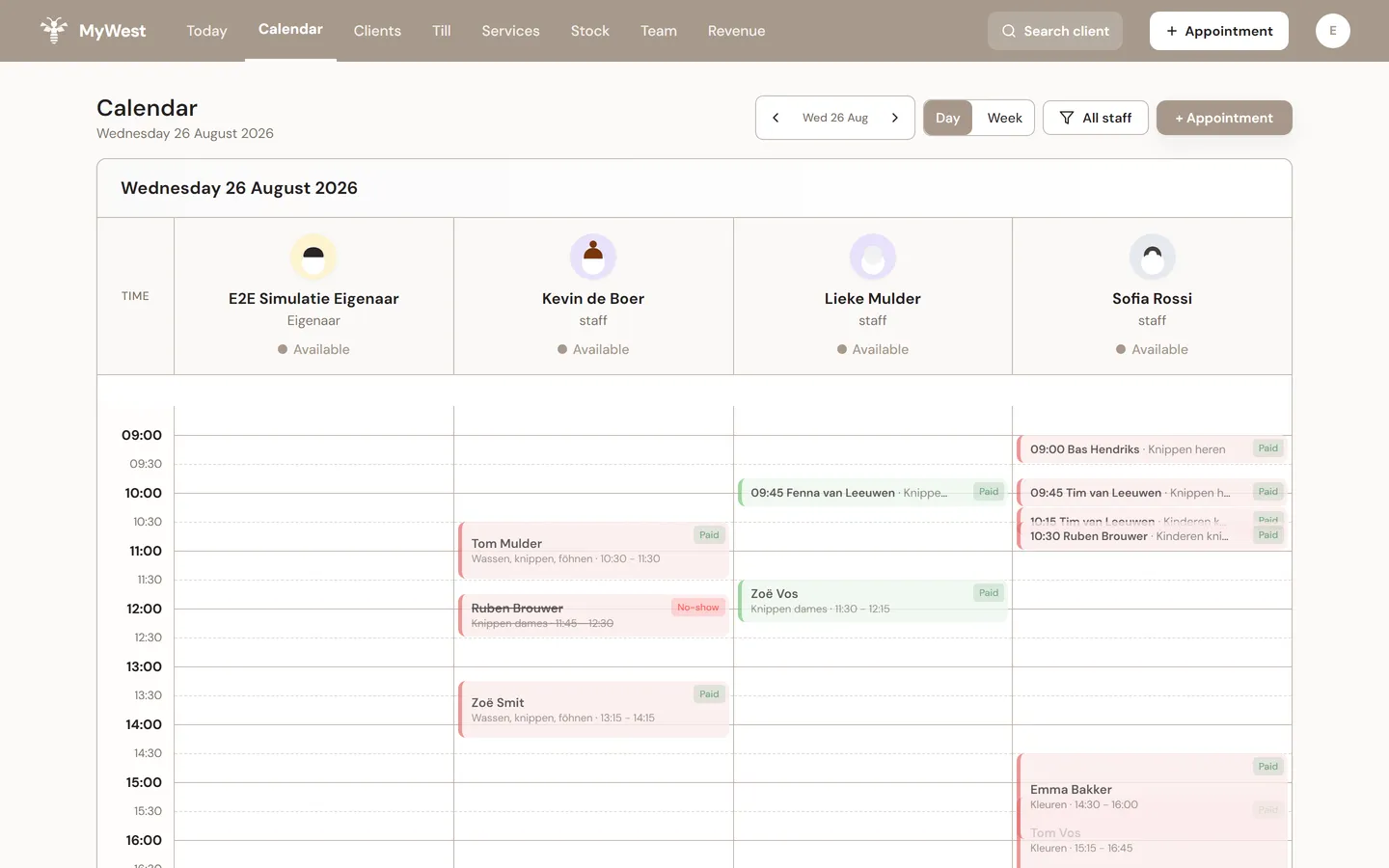
A pedicure works with regular clients who come back every few weeks, and with information you do not want to lose: what you saw, what you did and what you advised. Medical work involves health data, such as an allergy or a condition, and that requires the client’s consent. You also want a diary, a till and an overview of your stock of instruments and hygiene products.
MyWest is built for salons that do this themselves, from a self-employed pedicure to a practice with several practitioners. Below is what the software does for a pedicure practice, and what it does not.
Foot card: findings, treatment and advice
The client card has a treatment card. For a pedicure there is the type Foot card with three fields: findings, treatment and advice. If you pick Pedicure salon as your salon type when you register, the foot card is ready as the default type. You record the card at an appointment, with date and team member.
On the next card of the same type the previous card is pre-filled, so at a follow-up visit you see what was there last time and only change what is different. You keep photos of, for example, a nail or skin on their own tab of the client card (JPG, PNG or WebP, up to 5 MB).
Health data, allergies and consent
Allergies and contraindications are separate from the normal notes. Because they are health data, you can only save them after ticking that the client explicitly consented. That way the consent is on record.
For an intake you create a form under Settings, Forms with questions and a statement. The Health intake starter template asks about allergies, skin conditions, medication and pregnancy; you adapt the text to your own practice. You link it to treatments, the client signs on her phone and receives a PDF copy, and the signed form is on the client card.
Cosmetic and medical: separate services
You create every treatment as a service with its own duration of 5 to 600 minutes, a price and a VAT rate. That way a pedicure, a medical pedicure and a follow-up appointment sit side by side with their own time and rate. Per service you decide whether clients can request it online.
Do clients return at fixed intervals? Then set a rhythm on the treatment, for example every 42 days. On the client card you see under Series where the client stands and whether the next appointment is already booked.
Instruments, hygiene and stock
If you pick Pedicure salon as your salon type, the stock groups Foot care, Nail care, Instruments & burrs and Hygiene & sterilisation are ready. You set a minimum stock per product; products below it show on your dashboard.
When you sell a product at the desk, such as a cream, stock goes down automatically. What you use yourself in a treatment you deduct with Stock +/- and a reason; each product keeps its history.
Administration, till and client data
You check out from the diary and the receipt can go to the client by email. Under Finance you see revenue, costs, profit and VAT per period. With prepaid cards and packages you let regular clients pay for a series of treatments upfront.
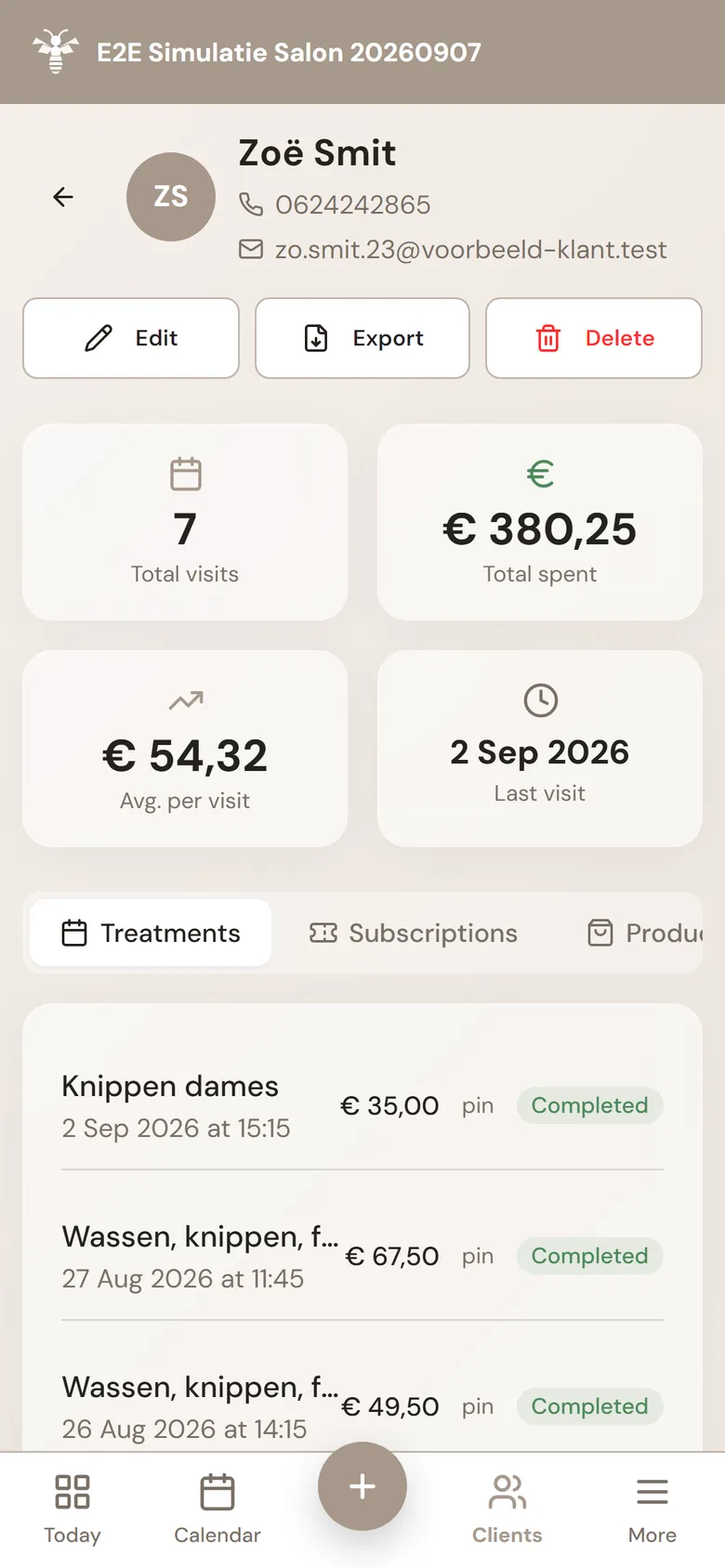
At a client’s request you can export all of that client’s data or anonymise the client. You import your client list from another system with a CSV or Excel file, up to 50,000 rows, and you can undo an import for 24 hours.
What MyWest does not do for a pedicure practice
MyWest has no planning for home visits: no routes, no travel time and no location per appointment. Claiming from health insurers and producing a referral letter for a GP or podiatrist are not included. An online appointment is a request: it is only final once you approve it, and paying or a deposit when requesting does not exist. Reminders go by email only, on the morning before the appointment; there are no SMS or WhatsApp reminders.
Why MyWest for pedicures?
Foot card per visit
Record findings, treatment and advice on a foot card. Last time’s card is pre-filled, so you only change what is different.
Health data with consent
Allergies and contraindications are separate from the normal notes. You only save them after the client gave consent.
Intake with digital signature
Link an intake form to a treatment. The client signs on her phone and gets a PDF copy; the signed form is on the client card.
Cosmetic and medical separately
Create every treatment as its own service with duration, price and VAT rate, for example a pedicure, a medical pedicure and a follow-up appointment.
Instruments and hygiene
Stock groups for foot care, nail care, instruments and burrs, and hygiene and sterilisation, with a minimum stock per product.
Revenue and VAT per period
See revenue, costs, profit and VAT per period, and send the receipt to the client by email.
All the features you need
- Foot card with findings, treatment and advice
- Notes and photos per client
- Record allergies, with the client’s consent
- Intake form with digital signature and PDF
- Treatments with duration, price and VAT rate per treatment
- Rhythm and number of sessions per treatment
- Stock groups for foot, nail and hygiene products
- Low stock shown on your dashboard
- Prepaid cards and packages for regular clients
- Checkout from the diary, with receipt by email
- Revenue, costs, profit and VAT per period
- Works in the browser on phone, tablet and computer
Step 1, 2, 3
- 01
Create an account
Register without payment details and pick Pedicure salon as your salon type. You only set up payment when you want to, at the latest at the end of the trial.
- 02
Set up your salon
Add your treatments with duration and price, create your intake form and, if you like, import your client list from a CSV or Excel file.
- 03
Share your booking link
Publish your booking page and share the link. Requests arrive under Requests and you approve them.
Choose the plan that fits your salon
Every plan starts with 14 days free and can be cancelled every month.

Bronze
The essentials for your salon
€29per month, excl. VAT
1 team member included · €7 per extra team member
- Online calendar
- Your own booking page
- Checkout and client cards
- Email reminders for clients
- Stock and reports
- 300 messages per month with My Westie
- Social posts with AI and 15 marketing images a month

Silver
For a growing team
€69per month, excl. VAT
Up to 3 team members included · €7 per extra
- Everything in Bronze
- 1,000 messages per month with My Westie
- 40 marketing images a month
- Your own client page with your own photos and texts
- Email campaigns to your clients

Gold
For busy salons with a large team
€119per month, excl. VAT
Up to 5 team members included · €7 per extra
- Everything in Silver
- 3,000 messages per month with My Westie
- 100 marketing images a month
More than 50 team members or other needs? Ask for a custom plan
Frequently Asked Questions
What is pedicure software and is a pedicure programme the same?
It is the same: whether you search for pedicure software or a pedicure programme, it arranges your diary, client files, stock and checkout in one place, for a self-employed pedicure with one workplace and for a practice with several practitioners.
What does pedicure software cost?
MyWest costs €29 (Bronze), €69 (Silver) or €119 (Gold) per month, excl. VAT. Bronze includes 1 team member, Silver up to 3 and Gold up to 5, you included, and each extra team member is €7 a month excl. VAT. You try it free for 14 days and need no payment details to start.
Is MyWest suitable for medical pedicures?
MyWest is a diary and client file system for all kinds of pedicures. Per visit you record findings, treatment and advice on a foot card, you keep health data with the client’s consent and you have intake forms signed. What MyWest does not do: claim from health insurers or produce a referral letter.
What is a foot card?
A foot card is a treatment card on the client card with three fields: findings, treatment and advice. If you pick Pedicure salon as your salon type when you register, the foot card is ready as the default type. On a new card the previous foot card is pre-filled, so you only change what is different.
How do I record allergies and other health data?
On the client card, allergies and contraindications are separate from the normal notes. Because they are health data, you can only save them after ticking that the client explicitly consented. You can also link a form to a treatment: the client gets the link, signs on her phone and receives a PDF copy.
Can I schedule home visits with travel time?
No. MyWest has no route planning, travel time or location per appointment for home visits. MyWest works in the browser, so you can look at the client card on your phone or tablet on the road.
Can I keep the administration and VAT of my pedicure practice?
You set the VAT rate per treatment. Under Finance you see revenue, costs, profit and VAT per period, and you check out from the diary with a receipt by email. More about administration and bookkeeping is on the feature page Salon administration.
How do online appointments and reminders work?
You share your booking link. A client picks a treatment and a time and sends a request; it is only final once you approve it under Requests. Clients with an email address get a confirmation and a reminder on the morning before the appointment. Reminders go by email only, and you can switch them off per client.
Can I use MyWest as a self-employed pedicure?
Yes. Bronze includes 1 team member, you included, and you use everything yourself: diary, client card, stock and till. If you get a second practitioner later, you add them with their own diary.
Can I move my clients over from another system?
Yes. You import your client list from a CSV or Excel (.xlsx) file, up to 50,000 rows, and you see beforehand what will come in. Treatments, products and appointments are moved over under Settings, Switching from other software. You can undo an import for 24 hours.
How does MyWest handle client data?
Database and file storage are in the EU (EU-west region), connections are encrypted and every salon sits in its own separated part of the database. You remain responsible for your clients’ data; MyWest is the processor under the data processing agreement. At a client’s request you can export all of that client’s data or anonymise the client.
Try MyWest free for your pedicurepraktijk
Start today with a 14-day free trial. No payment details needed to begin; you set up your payment yourself, at the latest by the end of the trial.